
NEWS
Data is empty
How To Properly Adjust An Office Chair For Optimal Comfort?
Learning how to properly adjust an office chair for optimal comfort is one of the most overlooked aspects of workplace ergonomics. Whether you are using a home office desk chair, a mesh back office chair, or a professional swivel task chair, improper adjustment can quietly lead to fatigue, back pain, reduced focus, and long-term musculoskeletal issues.
Most discomfort associated with office work does not come from sitting itself, but from sitting incorrectly for extended periods.
Core Chair Adjustments That Define Ergonomic Comfort
Seat Height Adjustment for Natural Leg and Hip Alignment
Seat height is the foundation of all ergonomic chair adjustments. If the height is wrong, every other setting becomes ineffective.
A properly adjusted swivel office chair allows:
Feet resting flat on the floor
Knees positioned at or slightly below hip level
Thighs parallel to the floor
This alignment reduces pressure under the thighs, prevents restricted blood flow, and stabilizes the pelvis. If your feet do not reach the floor comfortably, using a footrest is preferable to lowering the chair excessively, which may compromise desk and arm alignment.
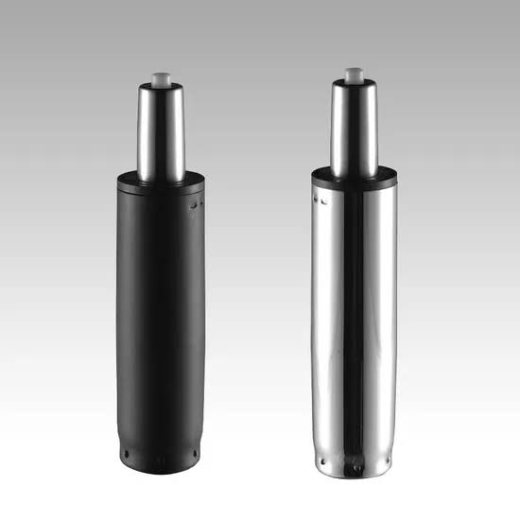
In adjustable ergonomic designs—such as full mesh task chairs—precision gas lift systems allow smooth micro-adjustments to accommodate different desk heights and body proportions.
Seat Depth Adjustment for Balanced Thigh Support
Seat depth is frequently misunderstood yet critically important. A seat that is too deep presses into the back of the knees, while one that is too shallow fails to support the thighs.
Optimal seat depth guidelines:
Sit fully back with your lower back against the backrest
Maintain a small gap (approximately two to three fingers) between the seat edge and the back of your knees
Many modern mesh back office chair designs integrate sliding seat pans that allow users to fine tune this dimension. This feature is particularly valuable in shared or multi user work environments.
Backrest Height and Lumbar Support Positioning
The lumbar region of the spine naturally curves inward and requires intentional support. Without it, the spine collapses into a slouched posture, placing excessive strain on spinal discs and surrounding muscles.
To adjust lumbar support correctly:
Position the lumbar curve so it aligns with your natural lower back arch
Ensure the support is firm but not aggressive
Avoid pushing the pelvis forward unnaturally
Advanced ergonomic chairs—especially full mesh constructions—use tensioned mesh zones instead of rigid pads, allowing adaptive support that responds to posture changes throughout the day.

Upper Body Ergonomics — Armrests, Recline, and Dynamic Support
Armrest Height and Width Adjustment for Shoulder Relaxation
Armrests play a crucial role in reducing shoulder and neck tension, yet many users leave them improperly set or remove them altogether.
Correct armrest setup for a swivel task chair:
Elbows bent at roughly 90 degrees
Forearms resting lightly, not bearing full weight
Shoulders relaxed, not lifted or compressed
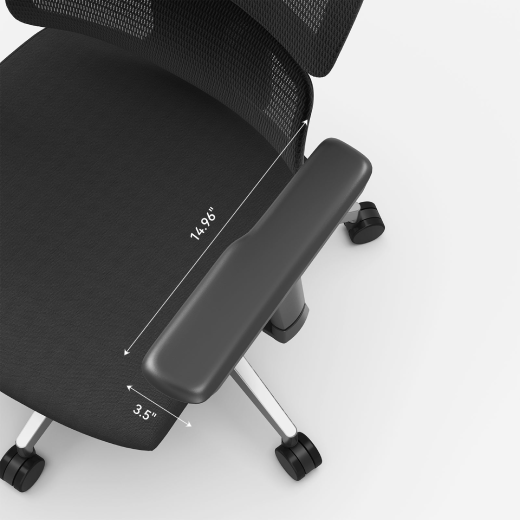
If armrests prevent you from sitting close to your desk, they are either too high or too wide. Multi directional armrests, commonly found on professional ergonomic chairs, allow fine control over height, depth, and angle to match individual body mechanics.
Recline Angle and Tilt Tension for Dynamic Sitting
Ergonomics is not about maintaining a single “perfect” posture—it's about encouraging controlled movement.
A slight recline reduces spinal pressure and distributes weight more evenly across the backrest. For most users:
A recline angle between 100° and 110° is ideal for task work
Tilt tension should provide resistance without forcing effort
Locking mechanisms should be used selectively, not permanently
Quality swivel office chairs are engineered to support micro-movements that help reduce stiffness and fatigue over long sitting periods.
Head, Neck, and Visual Alignment With Your Chair Setup
Headrest Adjustment for Cervical Spine Support
If your chair includes a headrest, it should support the base of your skull rather than pushing your head forward.
Proper headrest positioning:
Supports the neck during relaxed sitting
Allows natural head movement
Does not interfere with upright task posture
Headrests are especially useful during breaks, phone calls, or reclined reading—provided they are height and angle adjustable.
Synchronizing Chair Adjustments With Desk and Monitor Height
Even a perfectly adjusted chair cannot compensate for a poorly arranged workstation.
After adjusting your home office desk chair:
Set monitor height so the top of the screen is at or slightly below eye level
Keep keyboard and mouse close to prevent overreaching
Maintain forearms parallel to the floor while typing
Chair ergonomics and workstation layout function as a single system. Misalignment in one area creates strain elsewhere.
Long Term Comfort Strategies Beyond Initial Chair Adjustment
Movement Is Non-Negotiable
No chair, regardless of design, can replace movement. Static posture is one of the primary contributors to discomfort and fatigue.
Recommended habits:
Change posture every 20–30 minutes
Stand briefly or walk between tasks
Use recline and tilt functions intentionally
Dynamic sitting is a core principle behind modern ergonomic chair engineering.
Re-Evaluating Chair Settings Over Time
Your body, workload, and environment change—your chair settings should adapt accordingly.
Reassess your setup when:
Desk height changes
Work hours increase
Discomfort emerges gradually
The chair is shared between users
Professional mesh ergonomic chairs, including full mesh designs similar to those developed by FSGROWING, are engineered to maintain consistent support even as user posture shifts throughout the day.
Why Mesh Construction Supports Long Term Comfort
A mesh back office chair offers advantages beyond breathability. Properly tensioned mesh:
Distributes pressure evenly
Reduces heat buildup
Adapts to movement
Maintains structural integrity over time
This is why mesh designs are increasingly favored in professional task seating and conference environments where prolonged sitting is unavoidable.
Frequently Asked Questions (FAQ)
Q1: How do I know if my office chair is adjusted incorrectly?
Persistent discomfort in the lower back, shoulders, neck, or wrists often signals improper adjustment, especially if pain increases over time.
Q2: Is seat height more important than lumbar support?
Seat height establishes the foundation, but lumbar support is equally critical for spinal health. Both must work together.
Q3: Can adjusting my swivel office chair really improve productivity?
Yes. Reduced physical strain improves focus, endurance, and overall work efficiency.
Q4: How often should I change my chair position during the day?
Small posture shifts every 20–30 minutes are recommended, even when seated comfortably.
Q5: Are ergonomic chairs still necessary if I take frequent breaks?
Yes. Breaks reduce static strain, but proper chair support minimizes cumulative stress during seated work.
Comparison of Mesh VS Leather Office Chairs For Comfort
Best Office Chairs For People With Lower Back Pain
Latest Blog